SendPanda Verified
Launched Monday, November 2, 2026
SendPanda combines an email API, newsletters and domain inboxes for developers
SendPanda is an email API and web dashboard for developers who want to send transactional email, manage newsletters and receive mail for their own domains. It has a free plan with 1,000 emails a month, with paid plans from $9 a month.
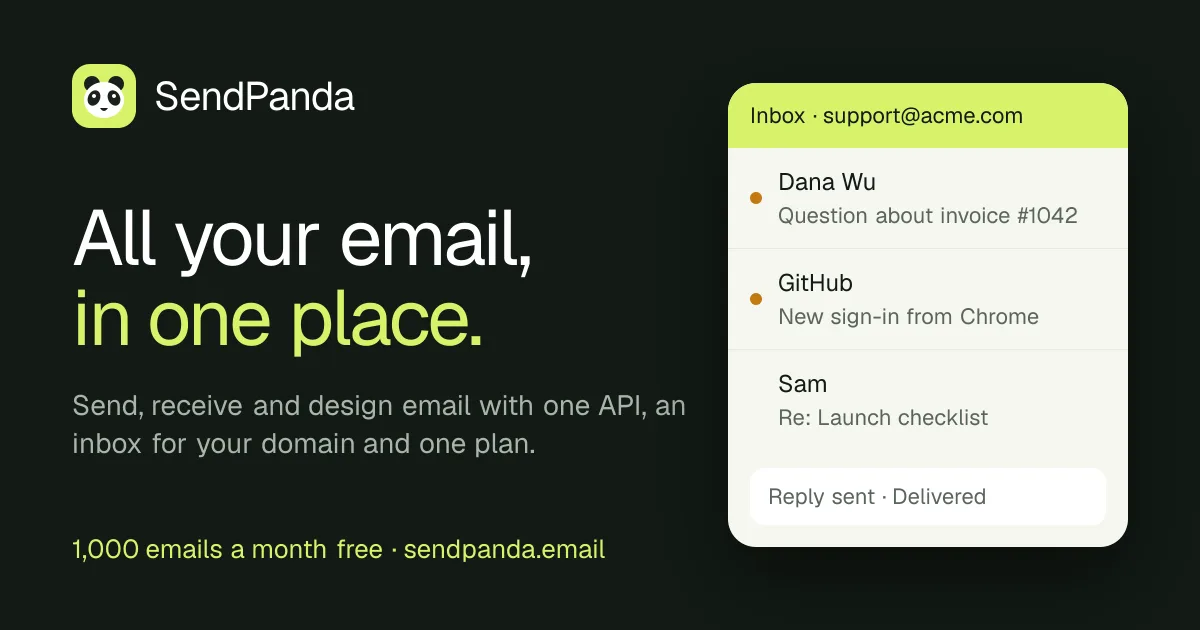
SendPanda is an email service for developers who need to send app messages, run newsletters and handle replies. Its API, visual email editor and domain inbox sit in one dashboard, with a shared sending quota across transactional and marketing email.
The product is worth considering for smaller teams that would otherwise stitch together separate services for those tasks. SendPanda also provides tools for AI agents, but its inbox is built for support-style mail, not direct connection to desktop mail apps.
How does SendPanda work?
SendPanda starts with a sending domain that you own. The setup screen provides DNS records for domain verification and sending, and SendPanda checks the records before enabling the domain. The setup guide explains what to publish and how to troubleshoot common DNS issues.
After verification, an app can send through the REST API, the official JavaScript and TypeScript SDK, the CLI or an AI agent. The API accepts HTML, text or a published template, and supports idempotency keys so a retry of the same event does not create a duplicate send.
- Add a domain and publish the DNS records SendPanda provides.
- Create a send-only API key and keep it on your server.
- Send from the SDK, REST API, CLI or an AI agent, then check the message in the dashboard or use signed webhooks.
What does SendPanda include?
SendPanda combines transactional email, newsletters, a visual editor and an inbox for a verified domain. Marketing sends and transactional messages draw from the same sending quota, as do replies and forwarded mail sent from the inbox. Incoming mail has a separate daily limit and does not use the sending quota.
The visual editor lets teams build emails with headings, buttons, product cards and columns, then reuse saved sections. It can preview template variables and show how dark-mode mail apps may recolor a design. Developers can also paste existing HTML instead of starting from the editor.
For delivery tracking, SendPanda shows a message timeline, delivery funnel, bounce and complaint rates, and signed webhooks for delivery events. Webhooks are retried with backoff, up to eight times, and can be replayed. Automatic suppression prevents bounced or complaining addresses from receiving more email.
Can SendPanda receive email for your domain?
Yes, SendPanda can receive mail for a domain you own, including messages addressed to a catch-all mailbox. Users can read and reply in its dashboard, and incoming messages can also reach an app through webhooks, the API, CLI or MCP.
The inbox is intended for support-style mail rather than as a conventional mailbox for Outlook or Apple Mail. SendPanda does not offer IMAP or POP3 access, though users can forward mail to Outlook, Gmail or another address. Mailbox counts, storage and incoming daily limits depend on the plan; the inbox details list those limits.
Free includes one mailbox, up to 128 MB of storage and 25 incoming messages a day. Paid plans have higher limits, while additional mailboxes cost $1 each per month. Incoming mail limits and storage are shared across the account.
How does SendPanda work with AI agents?
SendPanda lets connected AI agents manage email tasks through a hosted MCP server, CLI and API. An agent can create projects and domains, prepare DNS records, create a send-only key, manage templates, send mail and read incoming messages.
The agent setup flow is designed to leave DNS changes with the user: the agent identifies the records to publish and checks when the domain is ready. SendPanda says agents ask before sending, scheduling or deleting, and access tokens can be scoped and revoked. The AI agent setup guide describes the available connections and controls.
This feature may suit teams already using agent-based development tools, but it is not required to use the email API. Developers can use the SDK or REST API directly, and the quickstart guide covers sending a first message from a Node.js server.
How much does SendPanda cost?
SendPanda has a free plan and three paid self-serve plans. The free plan includes 1,000 emails a month, with a limit of 100 a day; paid plans have no daily sending limit. Recipients count toward the quota, so an email sent to 100 people uses 100 sends.
Paid plans can opt into extra sending at $0.50 per 1,000 emails, capped at an amount the account holder chooses. Without overage enabled, sending pauses when the quota is reached. The pricing page lists the plan limits and annual billing options.
What else should you know before trying SendPanda?
SendPanda runs its sending infrastructure on Amazon SES, according to its pricing page. The product adds a dashboard, editor, webhooks, suppression, newsletters and an inbox, so it is a managed product rather than a direct SES account.
SendPanda says new domains start with the full quota available, while delivery happens in growing batches as the domain warms up. That distinction matters: an accepted API request is initially queued, and acceptance does not mean the recipient’s mail server has delivered the message.
The site also offers free SPF and DMARC checkers and an HTML email previewer that runs in the browser. These tools can be used without an account, and the developer tools page explains what each one checks.
Who it is for
- Developers adding transactional email to an app
- Small teams that send newsletters as well as product email
- Teams that want a visual editor alongside an API
- Products that need support-style email on their own domain
- Developers who want AI agents to configure and operate email tasks
Who it may not suit
- Organizations sending millions of emails a month or needing dedicated IPs without an Enterprise arrangement
- People who need to connect Outlook or Apple Mail directly to a mailbox using IMAP or POP3
- Teams that need more than 200,000 monthly emails on a standard plan
Pricing
Free plan with 1,000 emails a month; paid plans from $9 a month
- Free, $0 per month: 1,000 emails a month, up to 100 a day, one mailbox and 25 incoming messages a day
- Starter, $9 per month: 30,000 emails a month, five mailboxes and 150 incoming messages a day
- Growth, $29 per month: 100,000 emails a month, 10 mailboxes and 700 incoming messages a day
- Scale, $49 per month: 200,000 emails a month, 20 mailboxes and 1,200 incoming messages a day
- Enterprise, Custom: Dedicated sending IPs, more than 200,000 emails a month, custom limits and help moving over
Should you try it?
SendPanda is worth trying if an app needs transactional email and the team also wants newsletters, a visual editor or a support inbox under one account. The free plan offers real sending with 1,000 emails a month, making it possible to test the API and setup without paying. Before moving an important workload, account for the shared recipient quota, domain warm-up batches and the lack of direct IMAP or POP3 access.
Questions people ask
Is SendPanda free?
Yes, SendPanda has a free plan with 1,000 emails a month and no card required. The plan limits sending to 100 emails a day and includes one mailbox.
What is SendPanda used for?
SendPanda is used to send transactional email, manage newsletters and receive email for a domain. Its API, visual editor and inbox are available through one service.
Does SendPanda work with Node.js?
Yes, SendPanda has an official JavaScript and TypeScript SDK for Node.js 22 or newer. Developers can also use its REST API, and the SDK supports ESM and CommonJS.
Can I use SendPanda with Outlook or Apple Mail?
No, SendPanda does not provide IMAP or POP3 access for direct mailbox connections. SendPanda lets users forward inbox messages to Outlook, Gmail or another address instead.